

Kupujesz odświeżonego MacBooka? Sprawdź, co naprawdę mówią cykle baterii, jak czytać kondycję akumulatora i o co zapytać przed zakupem. Praktyczny przewodnik od zespołu Mackfan.
Plan na workation masz dopięty. A baterię?
Apartament z widokiem zarezerwowany, bilety kupione, klient uprzedzony, że przez dwa tygodnie pracujesz z Portugalii. Wszystko gra do momentu, w którym MacBook o 11:30 pokazuje 23% i zaczyna się codzienny rytuał: rozglądanie się po kawiarni nie za najlepszym stolikiem, tylko za najbliższym gniazdkiem.
Znamy ten scenariusz, bo słyszymy go od klientów regularnie. I niemal zawsze zaczyna się tak samo: ktoś kupił używanego MacBooka, sprawdził model, procesor i cenę, a baterię zostawił na wiarę. Sprzedawca napisał przecież „stan bardzo dobry”.
Dlatego ten tekst. Przez nasze ręce przechodzą MacBooki z bardzo różną historią i bateria jest jednym z pierwszych podzespołów, którym się przyglądamy. Poniżej zebraliśmy to, co sami sprawdzamy, zanim sprzęt trafi do oferty, i o co Ty powinieneś zapytać przed zakupem. Niezależnie od tego, czy kupujesz u nas, czy gdziekolwiek indziej.
Czym są cykle baterii i jak je liczyć?
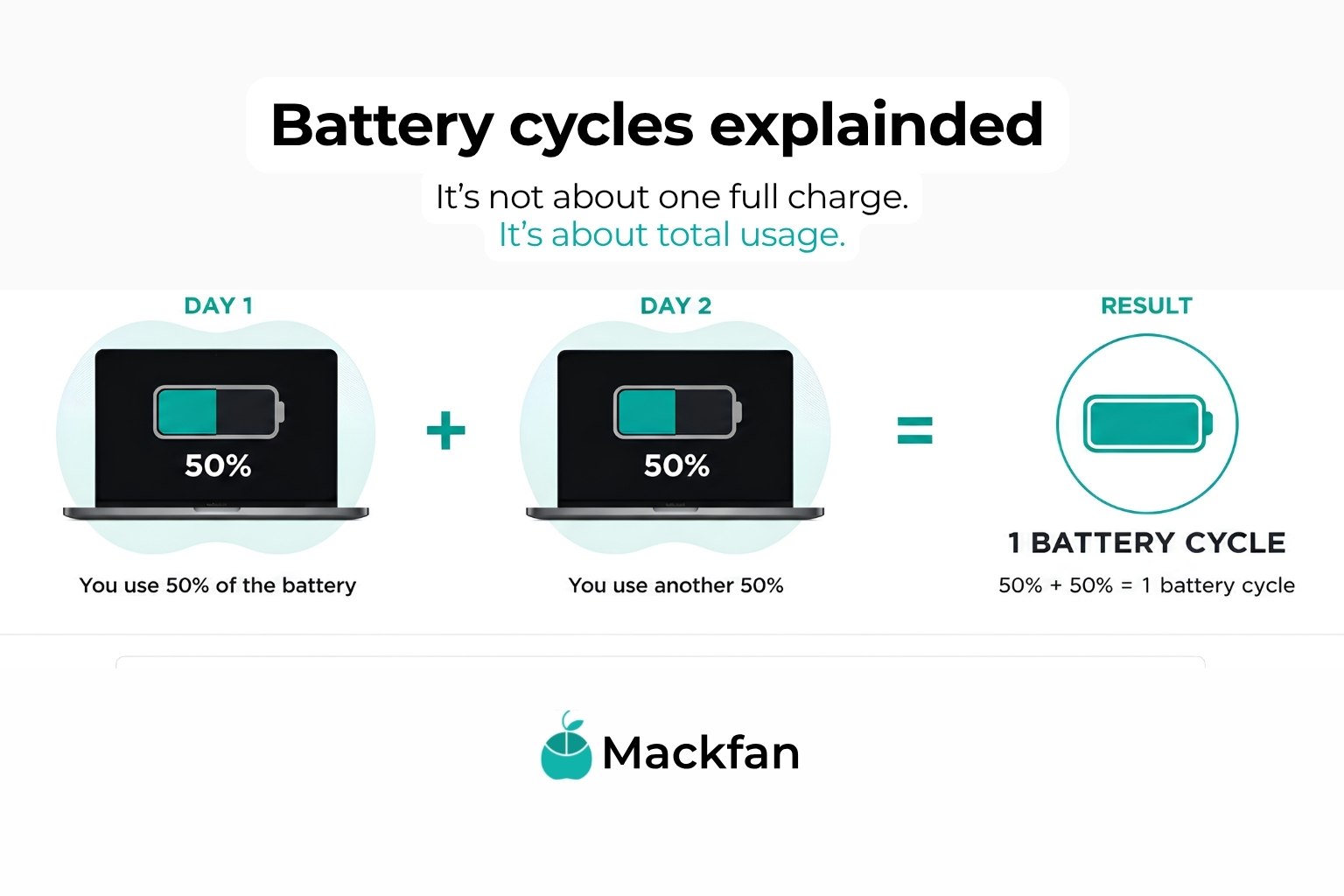
Jeden cykl to zużycie energii odpowiadającej pełnemu naładowaniu baterii. Nie musi to być rozładowanie od 100% do zera za jednym razem. Jeśli dziś zużyjesz 50%, doładujesz komputer na noc, a jutro zużyjesz kolejne 50%, licznik przeskoczy o jeden.
Liczba cykli mówi więc, jak intensywnie bateria pracowała przez całe swoje życie. MacBook po 80 cyklach najczęściej spędził większość czasu przy biurku. MacBook po 800 cyklach przepracował swoje, często w trasie.
Choć sama liczba nadal nie opowiada całej historii.
Apple projektuje baterie w wielu nowszych MacBookach tak, żeby po 1000 cykli zachowywały około 80% pierwotnej pojemności. To dobry punkt odniesienia, ale traktuj go jako orientacyjny, nie jako granicę między „dobrym” a „złym” egzemplarzem.
Dlaczego sama liczba cykli to za mało?
Bo dwa MacBooki z identyczną liczbą cykli potrafią zachowywać się zupełnie inaczej. Widzimy to przy diagnostyce na co dzień.
Egzemplarz numer jeden: 300 cykli, ale właściciel trzymał go latami podpięty do ładowarki w nagrzanym pokoju, a komputer renderował wideo po osiem godzin dziennie. Egzemplarz numer dwa: te same 300 cykli, ale rozłożone na spokojną pracę biurową w normalnej temperaturze. Na papierze identyczne. W praktyce pierwszy potrzyma krócej i szybciej będzie tracił pojemność.
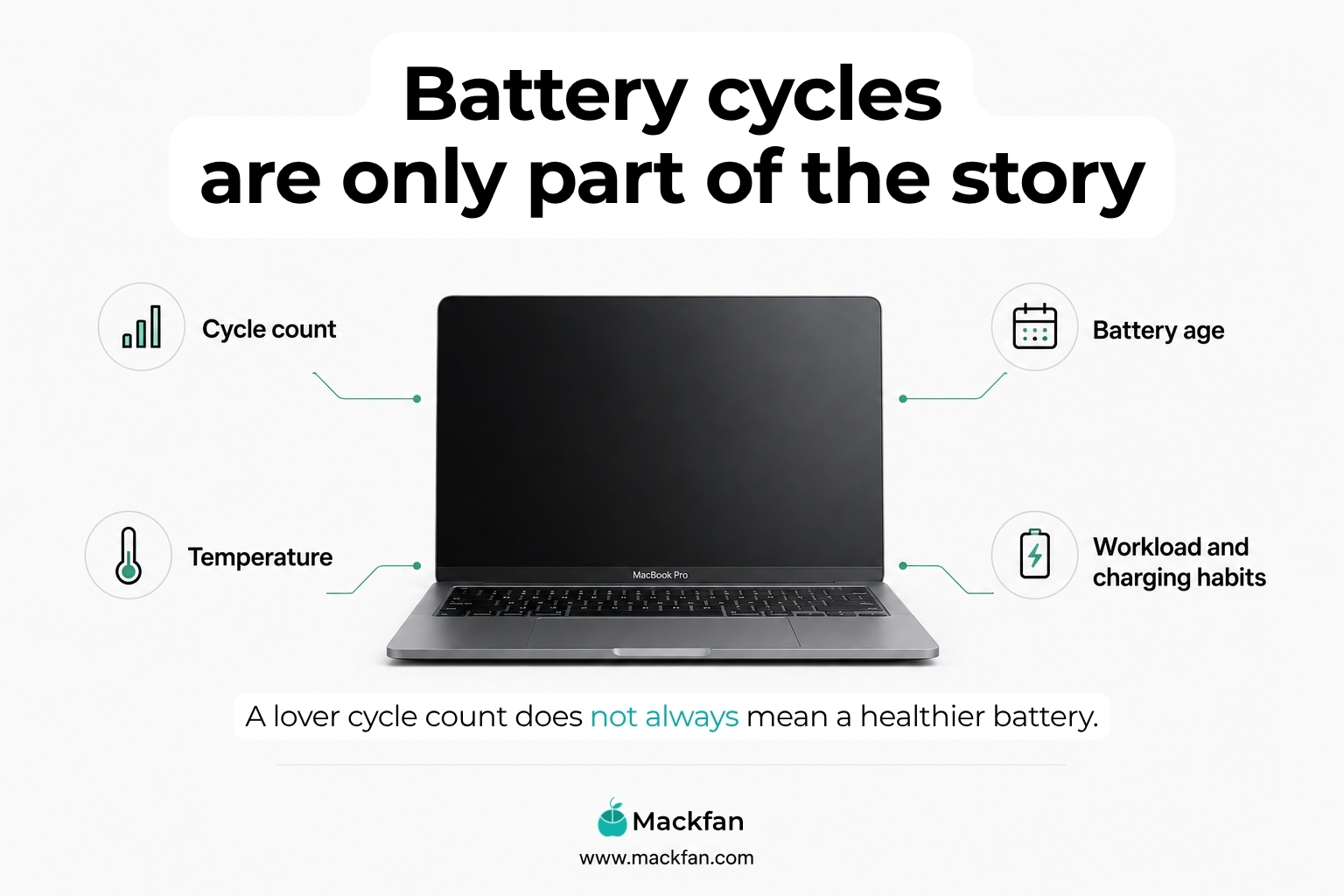
Na realną kondycję baterii wpływa kilka rzeczy naraz: wiek akumulatora, temperatura, w jakiej pracował, obciążenie sprzętu, sposób ładowania. Liczba cykli to ważny element tej układanki, ale tylko element.
Dlatego przy zakupie odświeżonego MacBooka pytaj szerzej:
- ile cykli ma bateria,
- jaka jest jej ogólna kondycja,
- czy urządzenie przeszło diagnostykę, a nie tylko oględziny,
- czy bateria trzyma stabilnie pod obciążeniem,
- czy sprzedawca umie powiedzieć coś konkretnego o tym jednym egzemplarzu.
Ostatni punkt jest najlepszym testem sprzedawcy. Jeśli na pytanie o baterię słyszysz „działa normalnie”, to wiesz tyle, ile przed zadaniem pytania.
Battery Health, czyli co pokazuje sam macOS.
W ustawieniach systemowych MacBooka znajdziesz informację o kondycji baterii. System pokazuje procent maksymalnej pojemności i komunikat, czy bateria działa prawidłowo, czy zalecany jest serwis.
To przydatna informacja i dobrze, że jest pod ręką. Ma jednak swoje ograniczenia. Po pierwsze, to wartość szacunkowa, która potrafi się wahać. Po drugie, mówi o pojemności, a nie o stabilności pracy pod obciążeniem. Po trzecie, bateria jest częścią eksploatacyjną i każdy akumulator litowo-jonowy z czasem traci pojemność. To normalne zjawisko, nie wada.
Jeśli chcesz samodzielnie sprawdzić baterię przed zakupem albo po odbiorze sprzętu, możesz skorzystać też z aplikacji coconutBattery. To popularne narzędzie dla użytkowników Apple, które pokazuje dodatkowe informacje o akumulatorze, między innymi jego aktualną pojemność, liczbę cykli i ogólną kondycję. Traktuj je jednak jako pomoc w ocenie, nie jako pełną diagnostykę urządzenia. Bateria to tylko jeden z elementów MacBooka, a przy zakupie odświeżonego sprzętu nadal warto sprawdzić także dysk, porty, klawiaturę, matrycę i układ chłodzenia.
Najważniejsze pytanie nie brzmi więc „ile procent pokazuje system”, tylko: czy ten konkretny MacBook będzie wygodny w Twoim trybie pracy. Komuś, kto pracuje przy biurku obok gniazdka, wystarczy bateria w przyzwoitej kondycji. Freelancer, który pół dnia spędza w pociągach i kawiarniach, ma prawo wymagać więcej.
Jak sprawdzamy baterie w Mackfan?
U nas żaden MacBook nie trafia do oferty na podstawie samego „włącza się i ładnie wygląda”. Każde urządzenie przechodzi diagnostykę z użyciem certyfikowanego oprogramowania Securaze, którego jesteśmy oficjalnym partnerem.
W ramach diagnostyki sprawdzamy między innymi baterię, matrycę, klawiaturę, dysk, porty i układ chłodzenia. Chłodzenie wymieniamy tu nieprzypadkowo: przegrzewający się komputer skraca życie baterii, więc te dwie rzeczy zawsze oglądamy razem.
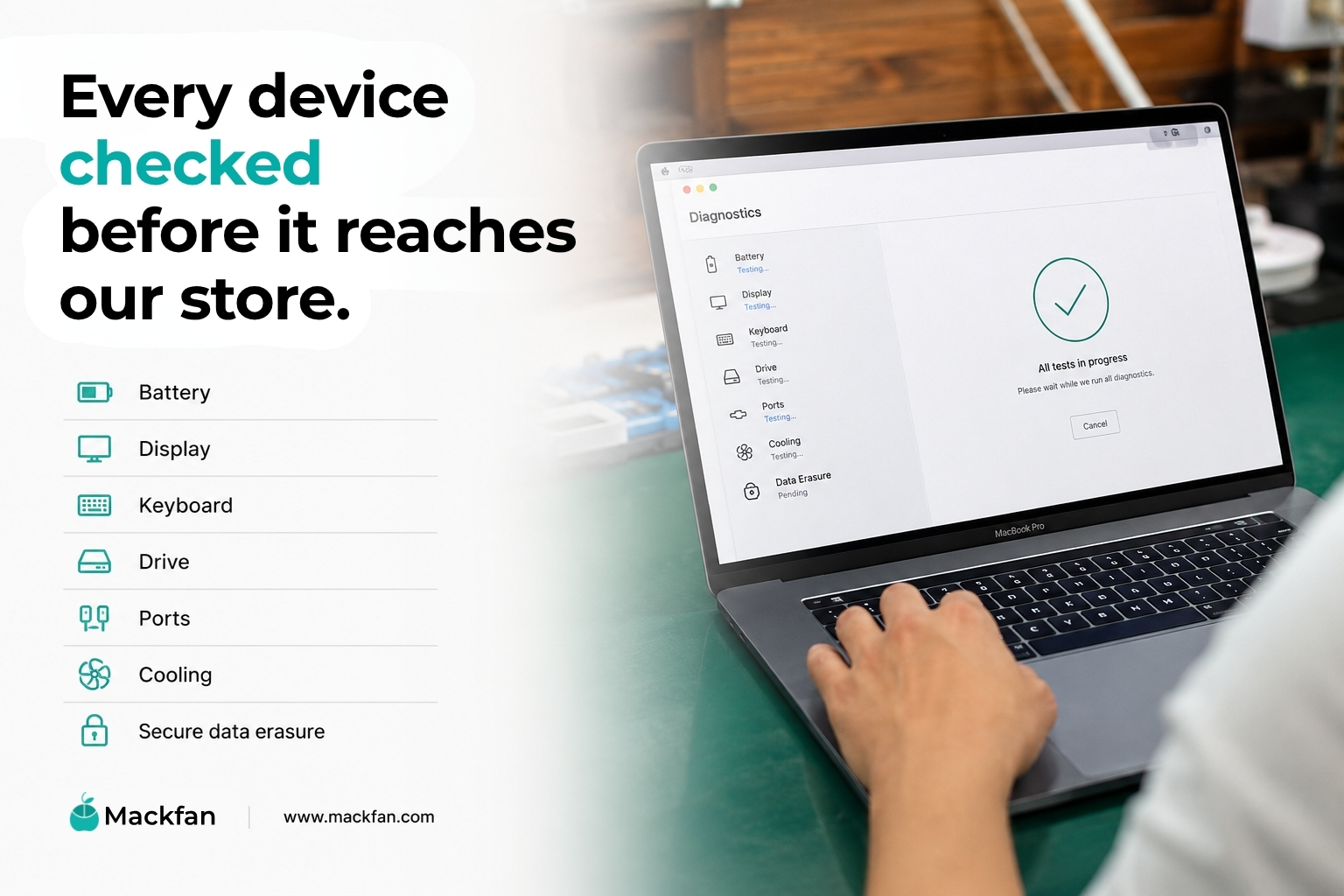
Securaze służy nam też do bezpiecznego wymazywania danych poprzedniego użytkownika. Przy sprzęcie z drugiego obiegu to nie jest dodatek, tylko podstawa: dobrze przygotowany MacBook ma być sprawny i czysty, również w środku.
Potwierdzenie diagnostyki możemy udostępnić na życzenie. A jeśli interesuje Cię konkretny egzemplarz z naszej oferty, napisz do nas i zapytaj o jego baterię. Sadownicy wiedzą o swoich jabłkach więcej, niż mieści się w opisie produktu, i chętnie się tą wiedzą dzielą.
MacBook Air czy MacBook Pro do pracy zdalnej?
To pytanie słyszymy częściej niż jakiekolwiek inne, więc odpowiadamy tak, jak odpowiadamy klientom.
-> MacBook Air wystarczy większości freelancerów. Poczta, dokumenty, praca w przeglądarce, wideorozmowy, prostsza obróbka zdjęć, prowadzenie biznesu online: Air robi to wszystko, a przy okazji jest lekki i nie grzeje się przy codziennych zadaniach. Do plecaka na workation pasuje idealnie.
-> MacBook Pro wybierz, jeśli Twoja praca realnie obciąża sprzęt. Montaż wideo, projektowanie, programowanie z ciężkimi środowiskami, duże pliki graficzne, kilka wymagających aplikacji naraz. Pro ma więcej mocy i lepsze chłodzenie, więc pod obciążeniem zachowuje kulturę pracy, której Air przy takich zadaniach nie utrzyma.
Prosta zasada: jeśli nie wiesz, czy potrzebujesz Pro, to prawdopodobnie wystarczy Ci Air. Osoby, które potrzebują Pro, zwykle dobrze wiedzą dlaczego.
Kupujesz prywatnie? Da się, ale sprawdzasz wszystko sam.
Zakup MacBooka od prywatnego sprzedawcy może być udany i nie zamierzamy nikogo straszyć. Trzeba tylko wiedzieć, że cała weryfikacja jest wtedy po Twojej stronie: bateria, porty, matryca, klawiatura, dysk, chłodzenie, blokady iCloud i funkcji Find My, historia urządzenia, dane poprzedniego właściciela.
To sporo punktów do sprawdzenia w 15 minut na klatce schodowej albo przy odbiorze paczki.
W Mackfan ta sama lista jest odhaczana wcześniej, zanim urządzenie w ogóle pojawi się w sklepie. Różnica nie polega na tym, że sprzęt prywatny jest zły, a nasz dobry. Różnica polega na tym, kto i kiedy wykonuje pracę sprawdzania.
Krótka checklista przed zakupem
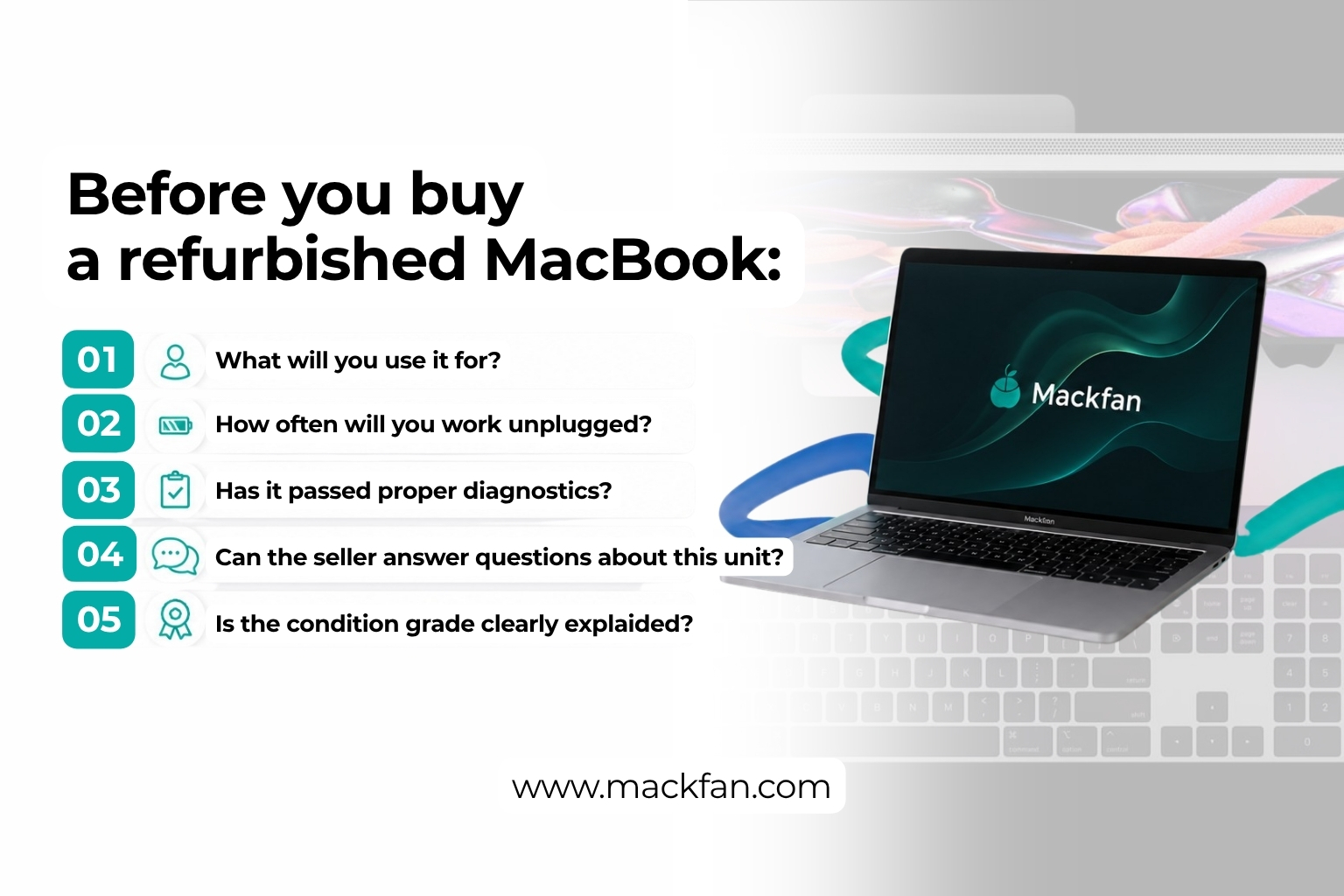
Pięć pytań, które warto sobie zadać, zanim klikniesz „kup”:
- Do czego ten MacBook ma służyć? Praca biurowa to inne wymagania niż montaż wideo.
- Ile czasu spędza z dala od gniazdka? Im więcej pracy mobilnej, tym większą wagę ma bateria.
- Czy urządzenie przeszło diagnostykę? Sprawdzony technicznie znaczy więcej niż ładnie sfotografowany.
- Czy możesz zapytać o ten konkretny egzemplarz? I czy dostajesz konkretną odpowiedź.
- Czy klasyfikacja stanu jest jasno opisana? Ślady użytkowania mają być wyborem, nie niespodzianką po otwarciu paczki.
Podsumowanie: bateria to początek rozmowy, nie jej koniec
MacBook gotowy na workation to sprzęt, który ktoś rzetelnie sprawdził, a nie tylko ładnie sfotografował. Cykle baterii są ważne, kondycja jest ważna, ale najwięcej mówi to, czy sprzedawca potrafi odpowiedzieć na pytania o konkretny egzemplarz.
W Mackfan każde urządzenie przechodzi diagnostykę Securaze, potwierdzenie udostępniamy na życzenie, a na pytania o baterię odpowiadamy konkretnie, bo znamy sprzęt, który sprzedajemy.
Szukasz MacBooka do pracy zdalnej albo na workation? Napisz do naszego zespołu Sadowników. Pomożemy dobrać model do Twojego stylu pracy, budżetu i planów na lato.